Interface Basics
Editing Tools
Audio & Video
Effects & Transitions
Workflow & Export
100
This panel shows all your imported media files.
What is the Project Panel?

100
This tool cuts clips into separate pieces.
What is the Razor Tool?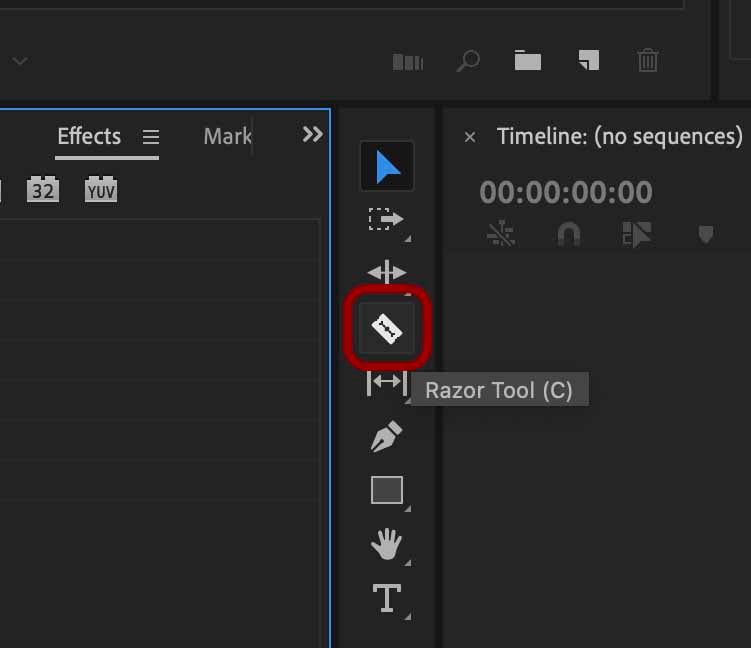
100
This type of track is used for sound such as music, dialogue, and sound effects.
What is an Audio Track?

100
This panel is where you search for and apply video and audio effects
What is the Effects Panel?
100
This keyboard shortcut saves your Premiere Pro project.
What is Ctrl + S (or Cmd + S on Mac)?
200
This is where you assemble and edit your video clips.
What is the Timeline?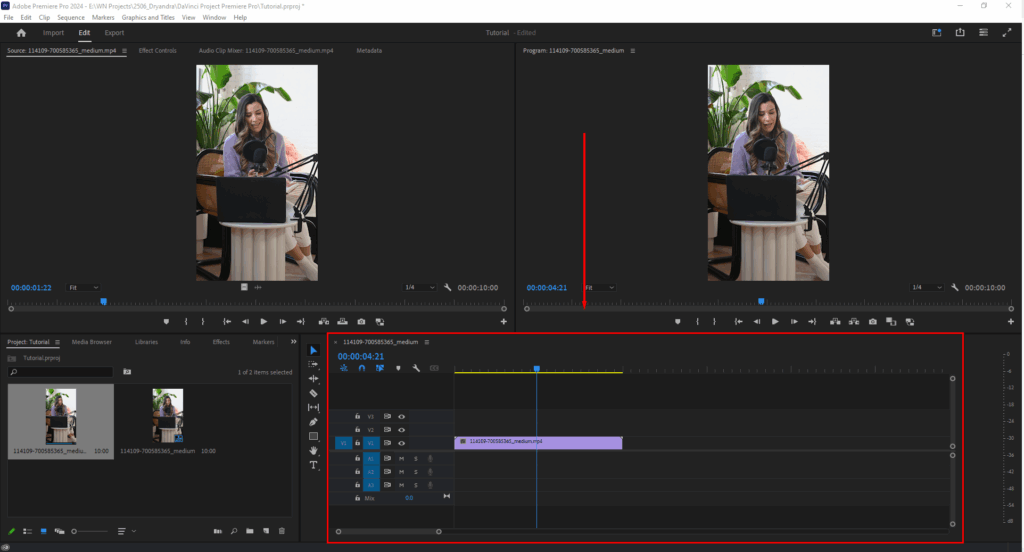
200
This tool moves clips on the timeline.
 What is the Selection Tool?
200
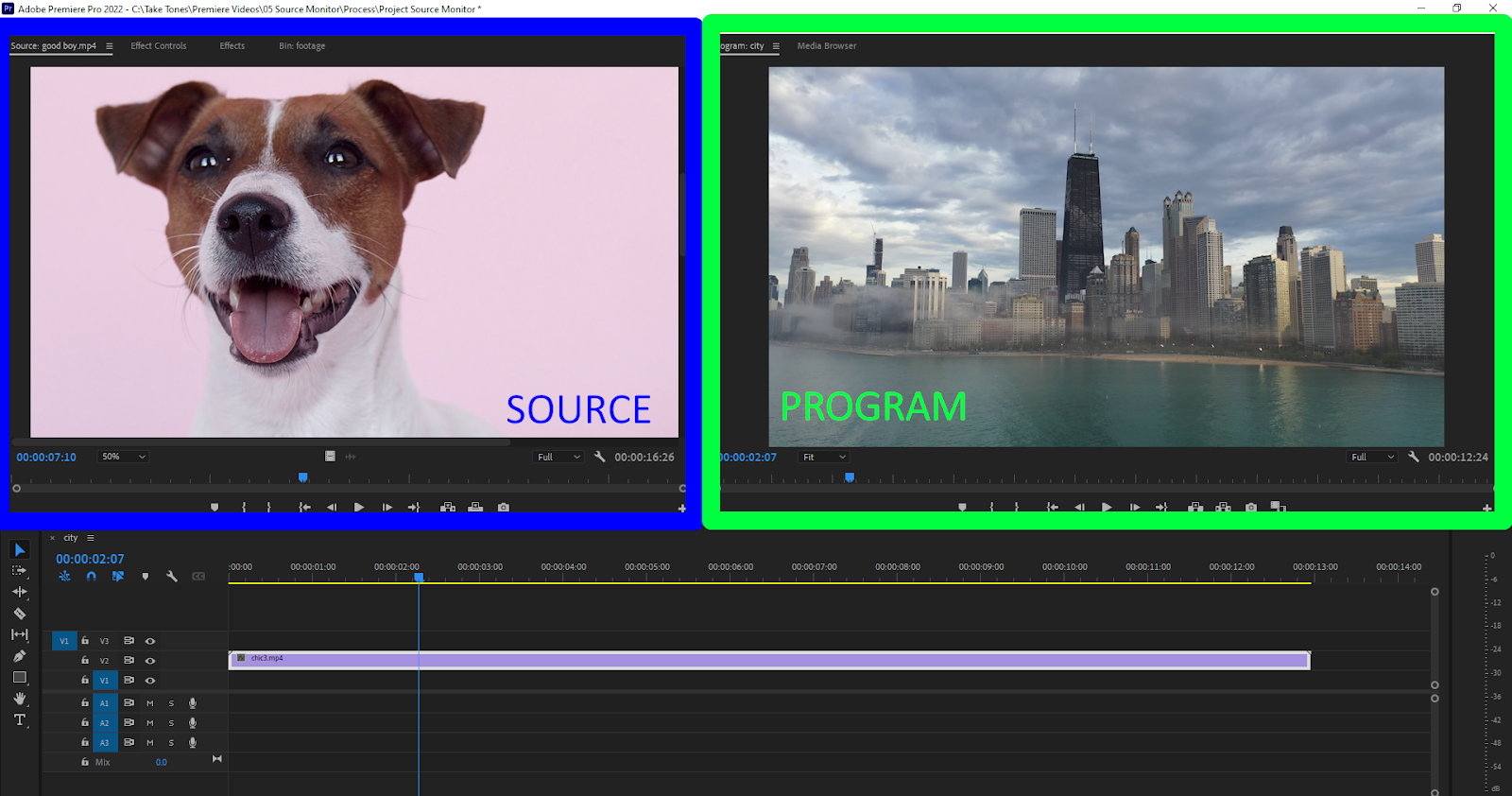
This monitor lets you preview clips before adding them to the timeline.
What is the Source Monitor?
200
This transition gradually changes one clip into another by fading between them.
What is a Cross Dissolve?

200
This Adobe format is commonly used to export high-quality videos for YouTube and social media.
What is H.264?
300
This workspace area contains tools like Selection, Razor, and Hand.
What is the Tools Panel?

300
This shortcut removes a clip and closes the gap automatically.
What is Ripple Tool? 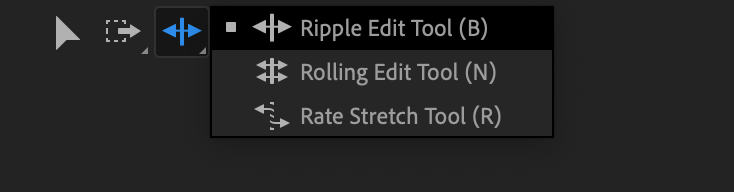
300
This panel displays and adjusts audio volume levels over time.
What is the Audio Clip Mixer?

300
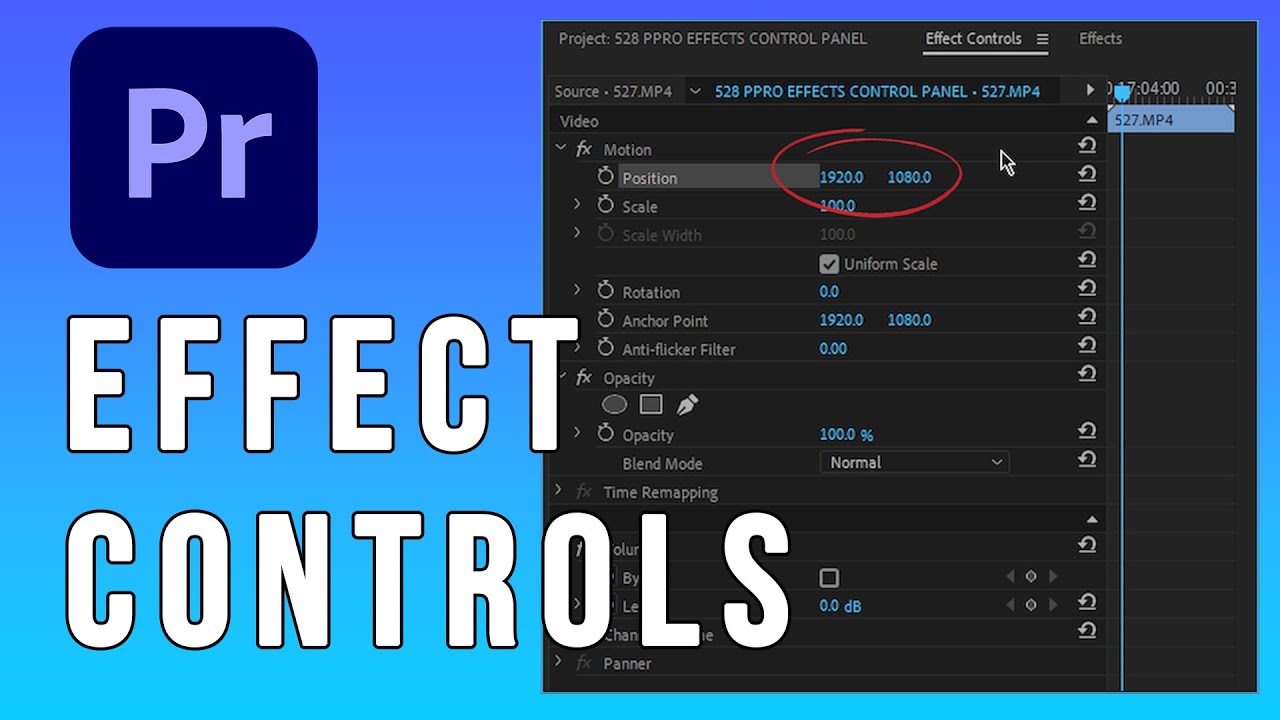
These controls let you change a clip’s size, position, rotation, and opacity.
What are the Motion Effect controls?

300
This workspace panel lets you adjust and improve color and lighting in your video.
What is Lumetri Color?
400
This panel shows video playback and previews your edits.
What is the Program Monitor?

400
This tool adjusts a clip’s speed by stretching or shrinking it on the timeline.
What is the Rate Stretch Tool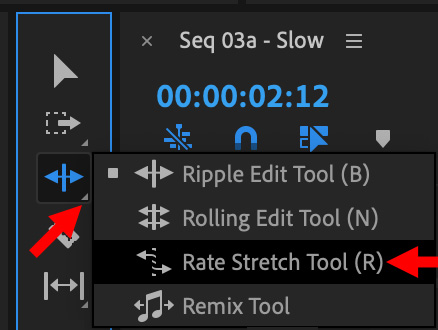
400
This feature separates the audio from the video portion of a linked clip.
What is Unlink?
400
This effect removes a colored background, commonly green or blue, from video footage.
What is Ultra Key?

400
This file type stores your Premiere Pro editing project without containing the actual media files.
What is a .prproj file?
500
This term refers to arranging panels into a preferred layout.
What is a Workspace?
500
This tool changes the edit point between two clips while keeping the total sequence length the same.
What is the Rolling Edit tool?
500
This process creates temporary preview files to help video playback run smoothly.
What is Rendering?

500
This feature allows effects and transitions to change over time using markers on a timeline.
What are Keyframes?

500
This Adobe application is often used with Premiere Pro to encode and export media files.
What is Adobe Media Encoder?