Payroll
Payroll Steps
Payroll errors
Payroll trouble-shooting
Bonus
100
What three components make up the net pay
Earnings, Deductions and Taxes
100
What must be selected during bring in time to import a file
Time clock import template & CSV file with data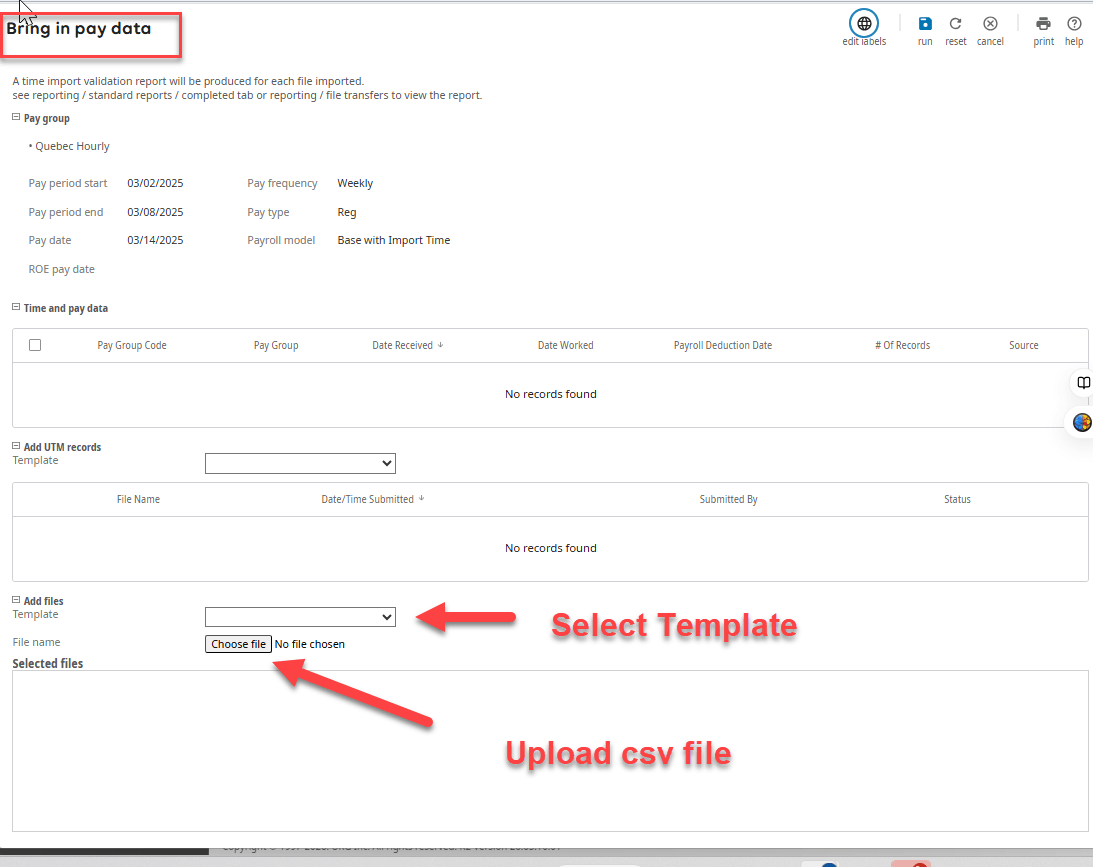
100
What causes a t_batch error for an employee's tax code AL001?
The employee local tax filing status is probably blank.
100
What type of check will only update pay history
What is post only instant check
100
When you create a time clock template what is the File Format used?
Comma Delimiters CSV
200
What makes up Gross pay?
Total earnings
200
In order for an employees scheduled hours to be brought into payroll what must be checked
What is regular pay is active for this payroll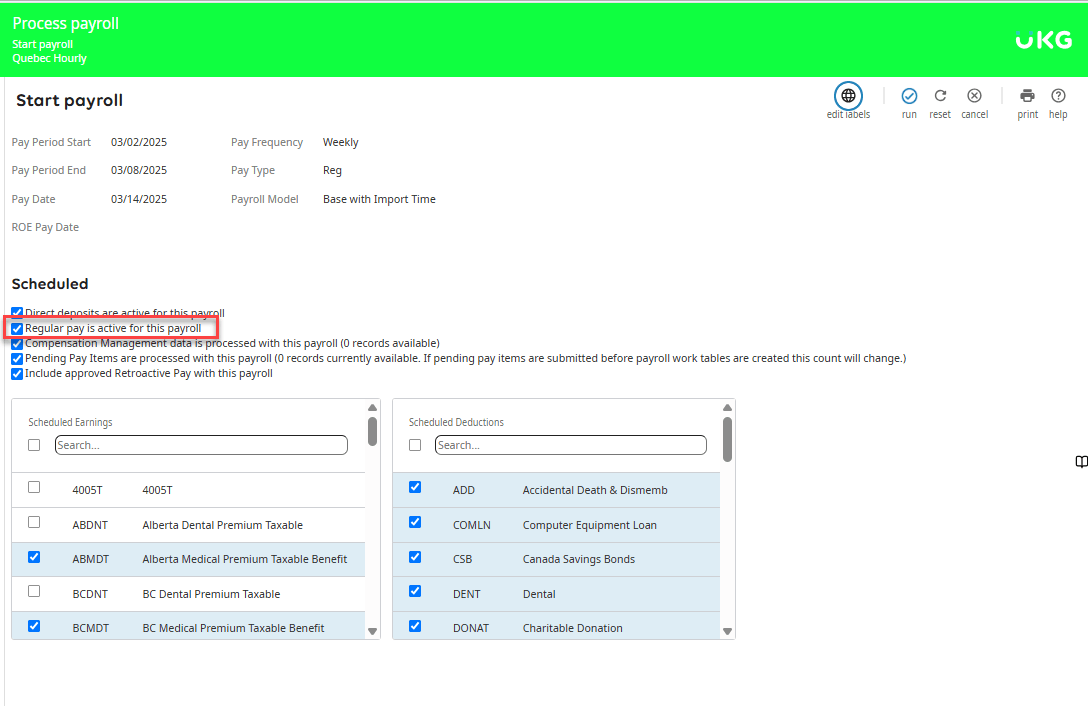
200
Unable to open this pay because the pay date is more than 2 months behind the Tax Group's Current Payroll Month.
Pay Date: 3/1/2026
Tax Group: 7/1/2026
Review all pay groups attached to the tax group. Review each of their current pay dates. If all pay groups are currently set to pay date 7/1/2026 then you will need to inactivate the old payrolls for the pay group with pay date 3/1/2026. Also, check to see if there is a 'No Pay Group'.
200
What is the most common reason a deduction is not available to select on a pay
What is effective dating
200
Import option: Create regular pay in none in batch means what?
Hint: Error at bring in time employee does not exist.
This allows a check to be created for terminated employees so you don't have to manually add each one.
300
What are the four pay frequencies?
Weekly, Biweekly, Semi-Monthly, Monthly
300
What step must be ran in order to see the imported amounts on pays
What is submit time and calculate
300
All payroll steps are grayed out, including the start step. There is a message at the top of the payroll stating to check the Manage Adjustments; however, no adjustments show in the web. What are your next steps?
Back office > Payroll > Adjustment > Manage Adjustment. If the adjustment is unposted the customer can delete the adjustment or post it.
300
When changes are made to an employees profile and the changes are not reflecting on the employees pay what needs to be done
Recreate the check
300
Employees were paid with gift cards. What method should be used to record this to their record?
Gross up
400
What types of pay's can be direct deposits?
Regular, Additional and Manuals/Instant
400
During a base payroll what processes are included in the finish payroll step
What is print, create NACHA, post and close
400
We are unable to start this pay because it is more than one month ahead of the Tax Group's Current Payroll Month.
Check if there are other pay groups in this tax group. If there are, check their schedules to see if they have older /active payrolls that weren't processed.
400
What is the most common reason arrears are created by mistake
What is leaving deductions scheduled for an off cycle
400
What are the three scenarios Guided Adjustments can be used for?
1. Refund Taxes to exempt employee (FICA)
2. Refund Deduction amounts
3. Update Location/Resident Taxes
500
Does Print Services print instant checks for customers?
No, instant checks are printed inhouse.
500
During what step is dimension time brought in
What is submit time and calculate
500
Name the two tools you should use in back office whenever you have payrolls issues?
PAC and Payroll Troubleshooting tool
500
Where can you find the NACHA file once it is created
What is the payroll processors file transfers
500
How many earnings does the system allow to be grossed up on a single additional pay or instant check?
Only 1 Earning
600
Start payroll greyed out or Error Payroll is already open?
Problem could be due to payroll having been started in BO or a current/previous supplemental was not processed correctly
600
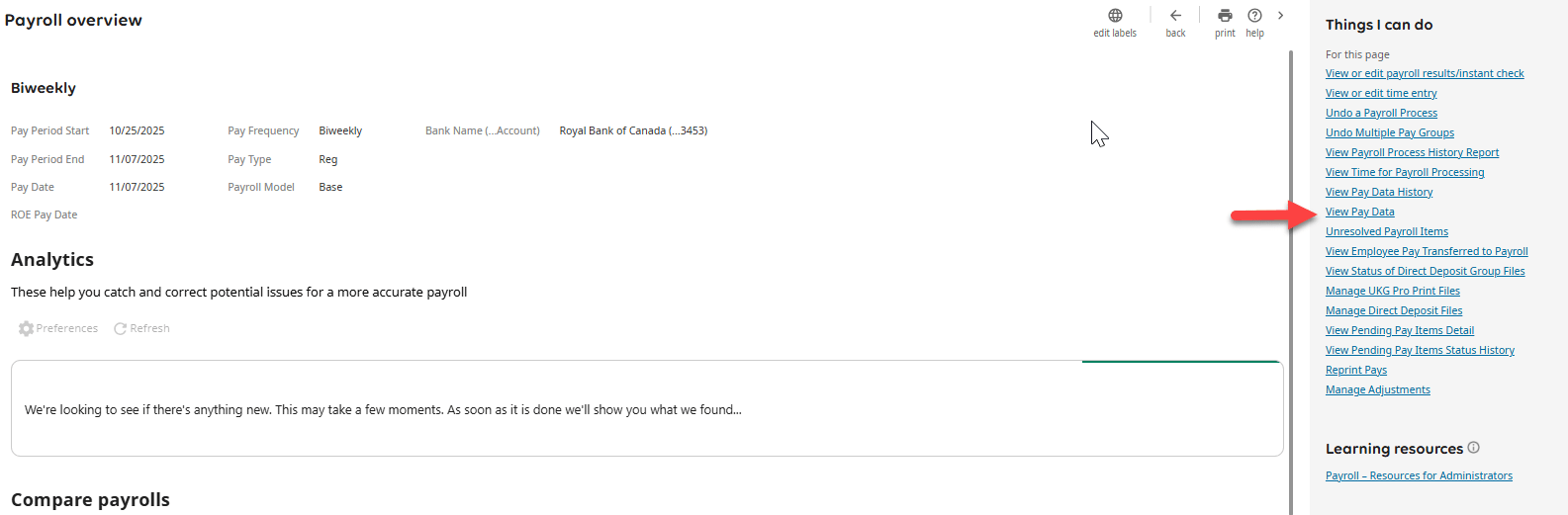
What payroll report will show you earnings any amounts after you complete the step bring in time?
View Pay Data
600
Why would a pay group not show in the payroll gateway and what should you check?
No scheduled payrolls. Activate a payroll and extend the calendar.
600
Error on time clock import states LDNE. What does this mean?
Location Does Not Exist. The location on the import doesn't match the location on the employees record for the specific charge date.
600
Unable to create adjustment for employee. The employee isn't available in the search? Possible reasons?
Pending payroll check, pay group show open in sql tables: m_batch, paygroup, pgpayper
700
Why do we recommend scheduling an off cycle for all pay groups with a 12/31 pay date?
In case payroll corrections need to be made after they process their last regular payroll. Prevent the tax group from resetting into the new quarter.
700
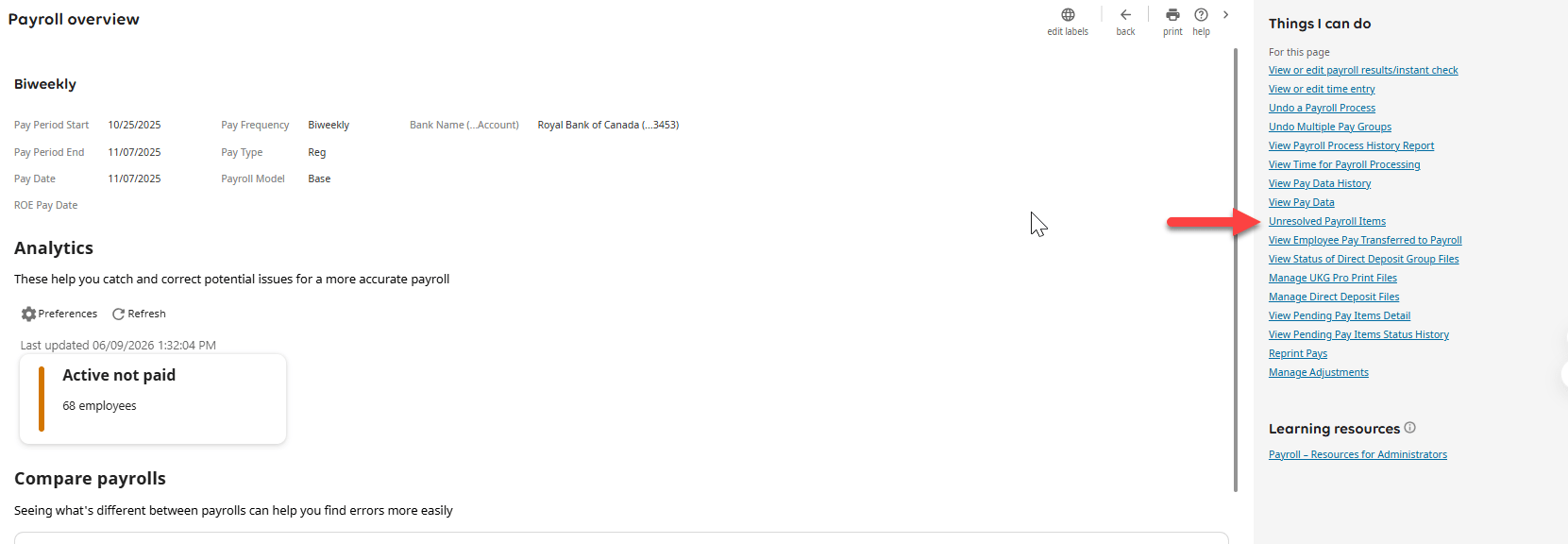
What is the first thing you should check if the finish payroll step is grayed out?
Unresolved Payroll Items
700
The fifth weekly payroll is missing for December 2026. How do we add the 5th payroll with the fewest steps.
Extend the payroll calendar. Choose one of the 5th payroll counts and modify the pay date and period start and end dates. Then unschedule the payroll back to I day prior to the first pay date of 2027.
700
What does the time clock error the data value in conjunction with the company code does not identify an employee in the company mean?
Incorrect company code manually added on import or company code expression is pulling the wrong company code
700
What does PADR(_Field_,9,'0') mean?
All employee numbers have 9 digits. Zero's will be added at the beginning of the number to make the digits equal to 9.
123456789
023456789
003456789