Key Terms
SeaVision Tools
Vessel Data Card
Data Sources
Layers and Map Views
Wild Card
100
This is the sea zone extending up to 200 nautical miles from a nation's coast. The nation holds special sovereign rights to explore, exploit, conserve, and manage natural resources - such as fish, oil, gas, and renewable energy - within this area.
Exclusive Economic Zone
100
This tool allows you to create a running "notification" when certain criteria is "triggered"
Alerts
100
Toggling this can show a ship's past movements
History Trail
100
Automatic position reporting system that uses transponders on ships and is used by vessel traffic services (VTS). This is the "backbone" of the vessel data available in SeaVision.
Automatic identification system (A.I.S.)
100
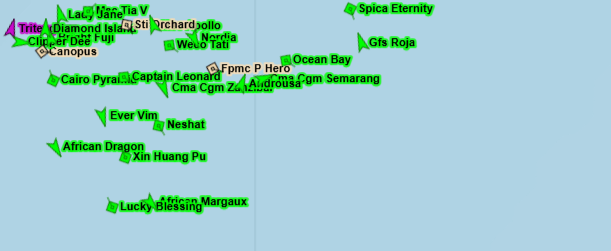 What layer has been enabled here?
Vessel Name
100
This feature of SeaVision allows a user to change what type of vessels appear on screen
Map Filter
200
This is the original purpose of AIS
Collision avoidance
200
This tool allows a user to create an ad-hoc query of vessels matching specified criteria.
Search
200
Explain the Invalid Data issue identified in this Vessel Data Card
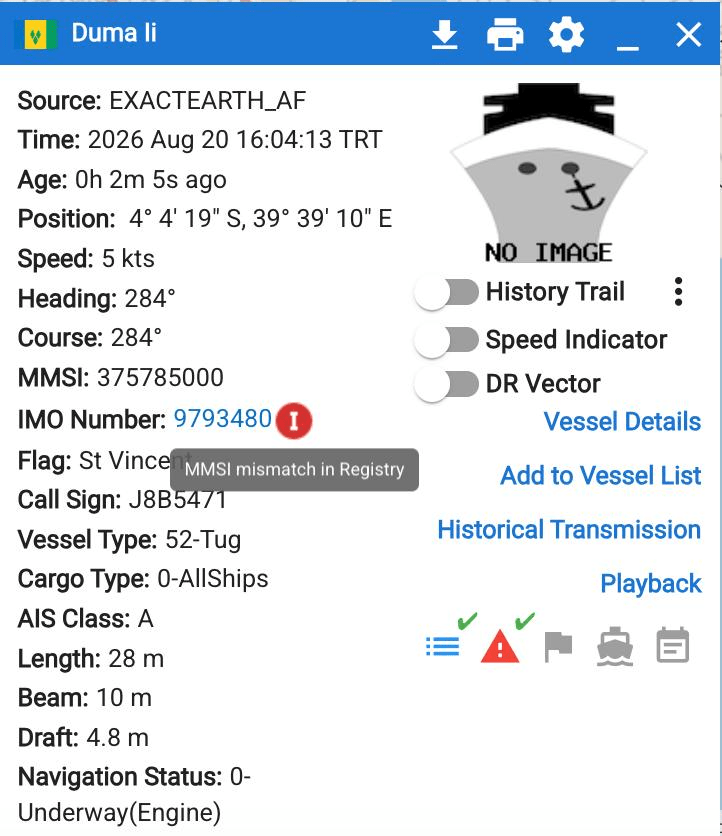
The MMSI and IMO numbers do not match in the official IMO registry database.
200
Name the two primary methods of AIS data *collection* (meaning, where is the data received)
Terrestrial (on land) and satellite.
200
When enabled, this layer will display the time passed since a vessel has been detected
Vessel Age
200
What is the official UN/LOCODE for the port of Mombasa?
KEMBA
300
This term refers to the function that allows SeaVision users to communicate with each other
Chat
300
Name the tool seen here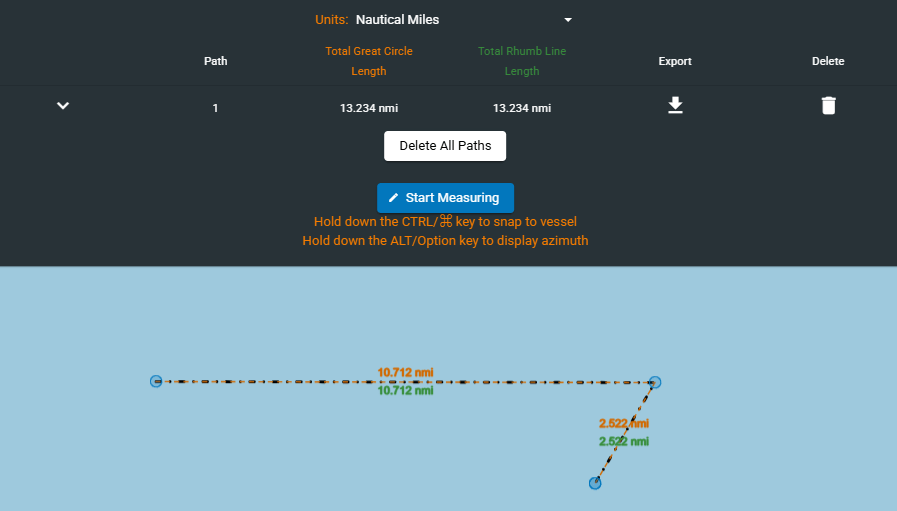
Distance Tool
300
This 7 digit number is a unique, permanent identifier for sea-going vessels and can be found on the vessel data card
IMO Number
300
This sensor identifies and collects visible / artifical light at night.
Visible Infrared Imaging Radiometer Suite (VIIRS)
300
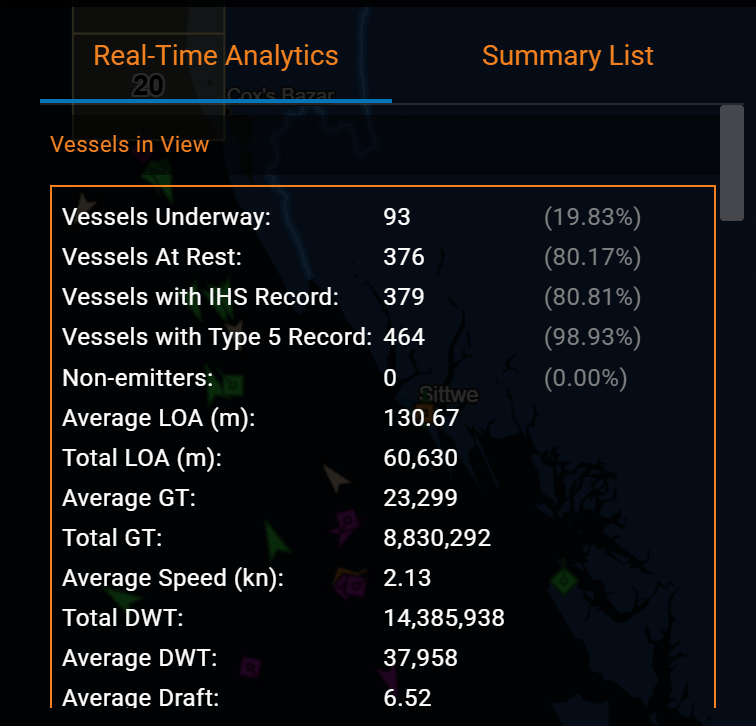
What is the Static Layer shown here?
AIS Vessels Summary
300
Based on this image, what would this vessels warning level be classified as? 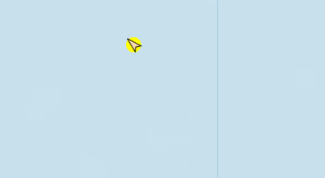
Medium
400
A 5 character code used to identify major trade and transport hubs, such as seaports
UN/LOCODE
400
Using this tool, users can create a vessel search that runs twice a day for vessels matching specified criteria
Rules
400
What is the function, available from the Vessel Data Card and also Static Layers, shown in the below image?
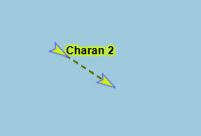
Dead Reckoning Vector
400
This satellite based sensor creates images of objects by emitting microwave pulses and measuring the backscattered signal; operates in all weather conditions, day or night.
Synthetic Aperture Radar (SAR)
400
This Map view is data intensive but offers a "top-down" detailed image of the Earth's surface to include surface features and buildings.
Satellite (or Hybrid) view
400
This document contains relevant information about the SeaVision application, and can be referenced for detailed instructions on SeaVision features and tools.
The System User Manual or SUM
500
All areas and things of, on, under, relating to, adjacent to, or bordering on a sea, ocean, or other navigable waterway. Includes all maritime-related activities, infrastructure, people, cargo, vessels, and other conveyances
Maritime Domain
500
Name the tool seen here
Time Machine / Playback
500
What are the three machine-generated pieces of an AIS position report?
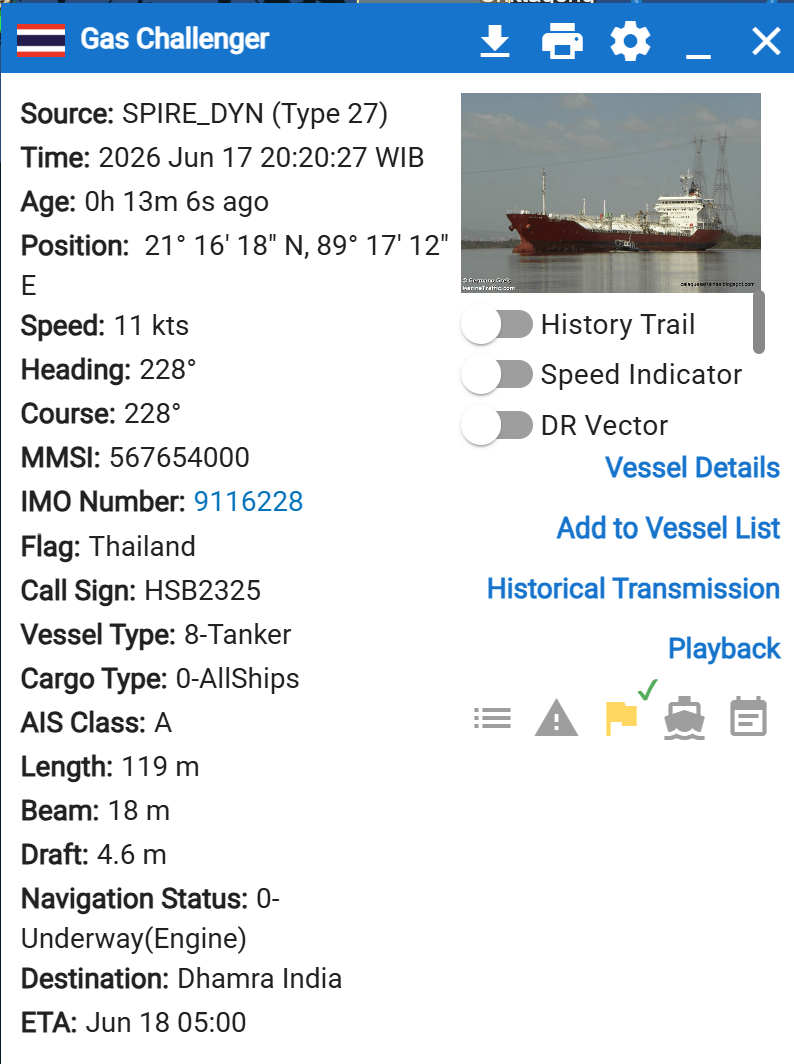
Position (lat/lon), heading, time.
500
This satellite based sensor provides digital images captured by sensors that detect visible, near-infrared, and short-wave infrared light reflected from Earth's surface.
Electro-optical
500
Using the tool seen here, a user can create what?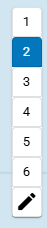
Custom user views
500
For a vessel's flag, one of the two following sources of information is essentially human-input, while the other comes from an IMO registry database. Which comes from which?
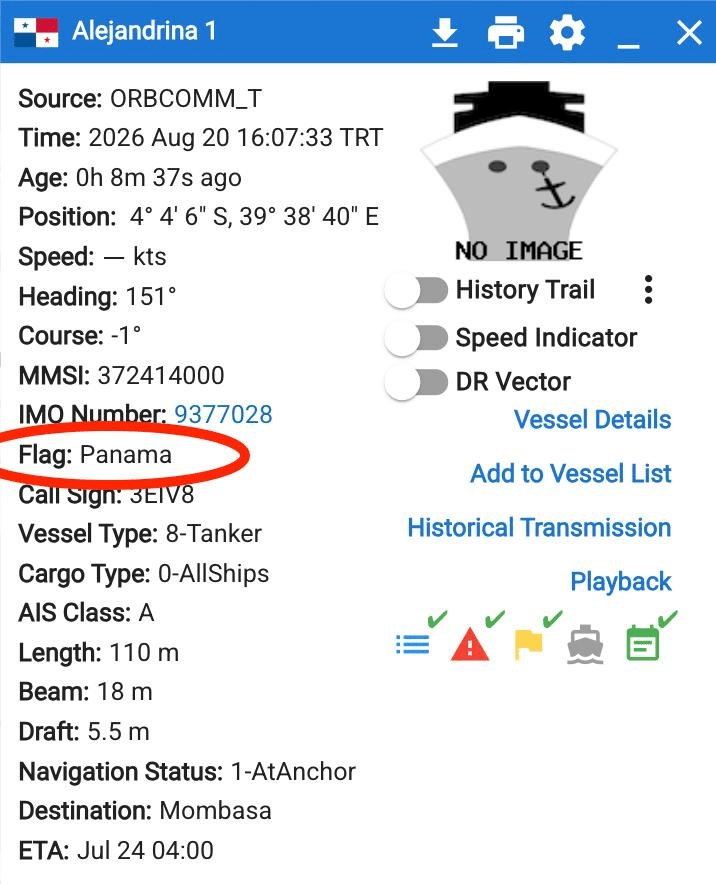
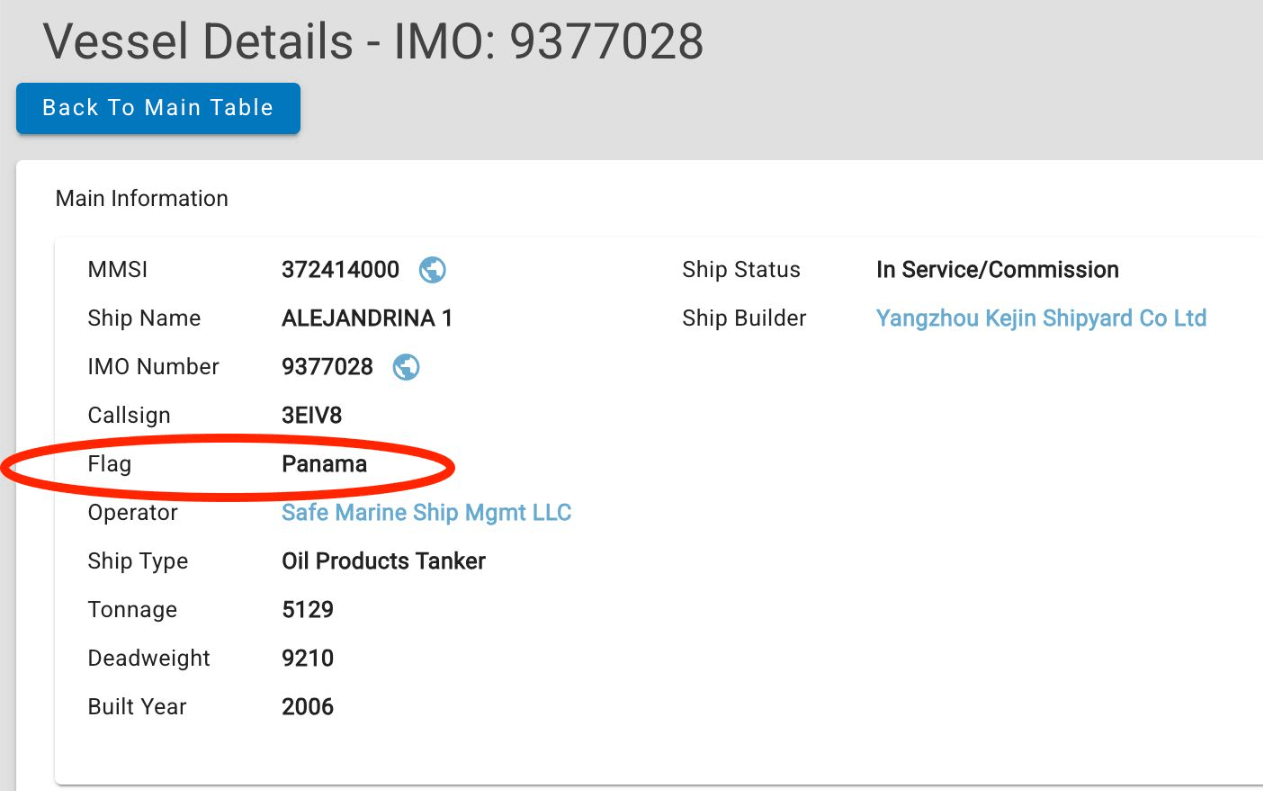
Flag from Vessel Data Card is human input (MID code from the MMSI), while Vessel Details pulls data from IMO registry database