Contracts
Milestone Model
SOs and Exceptions
"Houston, we have a problem.."
ISF
100
The party responsible for uploading contracts into Nexus
Who is Under Armour?
UA will be responsible for uploading each carrier contract into Nexus for KN's selection in the platform
100
The party responsible for providing the milestone model transits
Who is Under Armour?
UA will be providing all milestone models in a template for our use.
100
Any of these will need to be cleared before Shipping Order can be approved.
Exceptions!
Any exceptions regardless of soft or hard will need to be cleared before and SO can be approved and proceed as a Shipment Plan
100
UA or supplier is advising an order they have sent is not visible in Nexus. What are the first steps?
1. Check Report Designer report to show all UO failures and check for order. Report will give reason of failure - supplier not yet onboarded, date missing, etc.
2. If PO is not visible, check Jupiter for transmission.
If not found, inform customer to resend.
If found, open TIC with Nexus support team to review why the order has not made it to Nexus
100
What system will file the ISF and what status will be received telling us an ISF was filed and successfully matched?
What is...
Cargowise will be the platform used to file the ISF to customs.
1110 - ISF Transmitted. This will be the status received when an ISF has been created on a shipment
1120 - ISF Accepted. This will be the status when the ISF has been matched and is accepted by Customs.
200
Stage in Nexus when contracts are selected by origins
What is the Shipment Plan creation?
Shipment Plan - Find Carriers and Routes Button when SP is created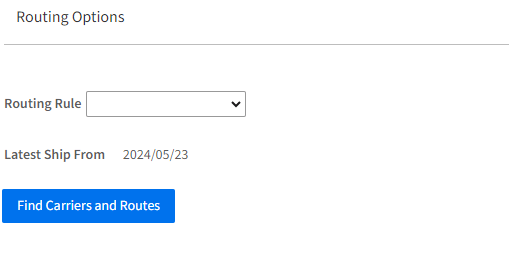
200
The party responsible for uploading the milestone models into Nexus
What is the GOKAM?
GOKAM will be responsible for maintaining any updates to the milestone model within Nexus - customer and origins will not have access to this page.
200
Type of exception that will stop a vendor from proceeding with SO submission
What is a Hard Exception?
Hard Exception - Vendor will receive a pop up notification and booking cannot continue until updates to SO are completed
Soft Exception - will allow booking to proceed but exception will need to be cleared before SO can be approved.
200
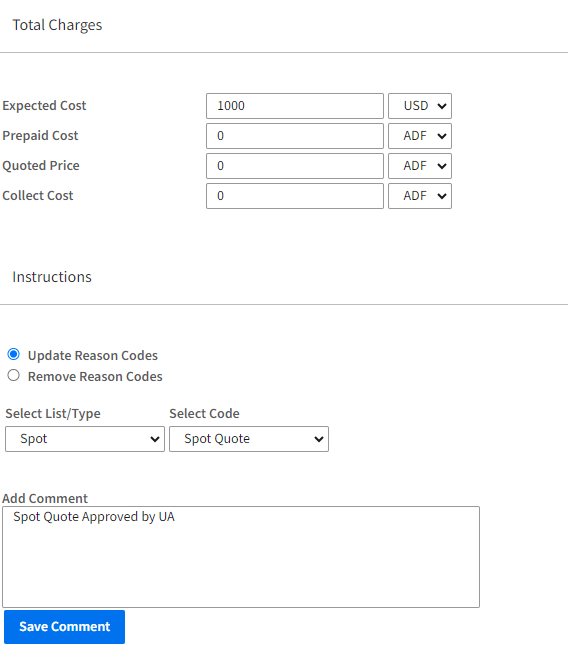
Origin advises rates cannot be pulled onto a shipment plan. What are the first steps?
1. Verify if routing is correct on SP or if any incorrect fields (BL Destination, Container Type, Commodity, etc)
2. If a rate is still not found - follow up with UA if spot is needed.
3. Enter Spot quote amount and enter Spot Reason code on Refs/Instructions tab
200
On what shipments is an ISF needed?
What are..
All ocean shipments (FCL,LCL, Buyers Console) with a US/PR Port as the POD
300
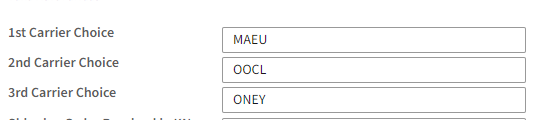
Area in Nexus where 1, 2, and 3rd carrier choices are listed out by operations
What is the Refs/Instructions tab on the SP?
SP - Refs/Instructions tab
300
The step when the milestone model is "activated" on a shipment.
What is Manifest Finalized?
Upon manifest finalized step- shipment will now be visible in Nexus and milestones will start being received to update the milestone model.
300
The party to review/approve any soft exception within Nexus
Who is KN?
KN will be approving any soft exceptions on behalf on UA within Nexus
300
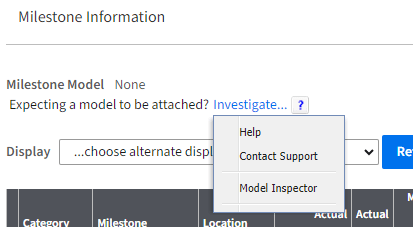
Milestone Model is not posted to a shipment. What are the first steps to resolve?
1. Open the container on shipment level and select "Milestone Inspector". This will show if the Model failed to post due to incorrect routing (BL Dest most common issue).
2. If routing is correct and no model actual exists, follow up with UA to advise transit to be added.
3. Once a model is added, search the shipment and click the button "recalculate outlook"
300
When does the ISF need to be completed?
When is..
No later than 24 hours prior to the container being loaded onto the vessel that is departing to the US
400
Area in Nexus and the process when any Spot rates need to be entered
What is the Refs/Instructions tab on the SP?
SP - Refs/Instructions tab.
Total charges are manually entered and reason code "Spot" is selected

400
Process to monitor for shipments missing a milestone model
What is a Saved View?
Saved view is the easiest way to determine a list of any shipments where a model has not been attached.
View "Milestone Model - Not Attached"
400
Process to add/update exceptions post go-live
What is TIC to Nexus support team?
Tic will need to be submitted to the Nexus support team by the GOKAM with details of request to be updated in both the Config workbook and in Nexus
400
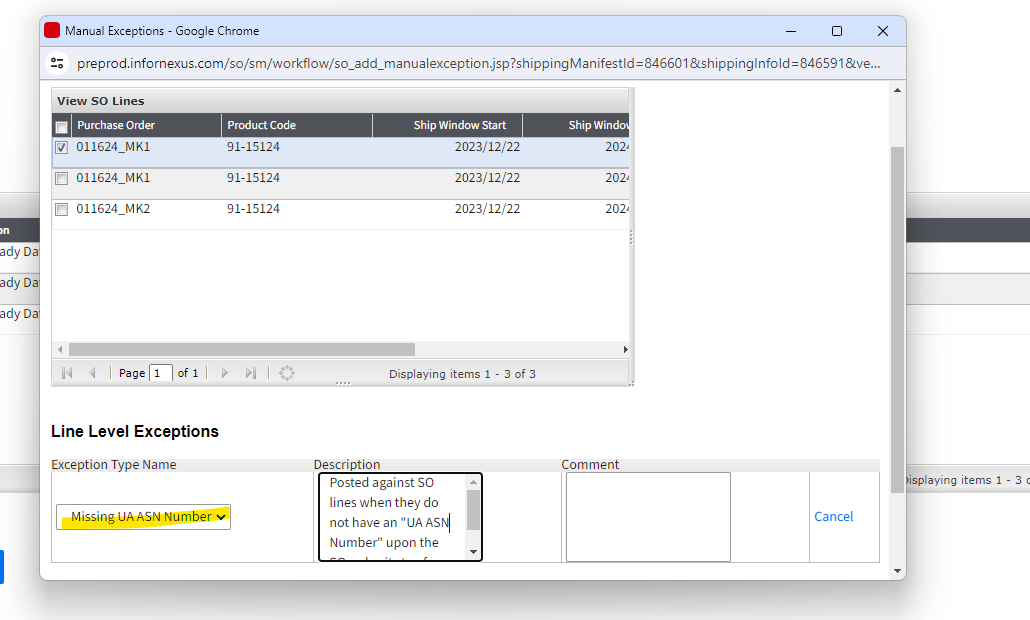
KN origins notice that the "UA ASN" number is missing from a select order lines within a Shipping Order.
What are the steps to resolve?
1. Origins to trigger manual exception for Supplier KPIs.
2. Origins to follow up with suppliers and advise to verify if the selected POs have been to an ASN within SNC.
3. Escalate to UA if no responses.
400
What is the trigger to move data from Nexus to CargoWise for the filing?
What is...
Upon "Saved as Planned" being pressed by origins on the shipment plan. This will trigger the 810 data over to cargowise for the filing.
500
The process to select new rates in Nexus
Example : Carrier A sends a rejection, and we need to book with Carrier B
What is the....
Open Shipment Plan and reselect rate with new carrier, leaving the carrier choices as the same on refs/instructions tab, and then saving the SP.
500
Process to inspect why a milestone model has not posted to a shipment
What is Model Inspector?
Model inspector on the shipment page will highlight any issues with routing/shipment type that is causing the shipment to not fall into a certain model.

500
This exception will be manually posted to a Shipping Order by KN origins
What is Missing "UA ASN Number"?
This exception will need to be posted to the SOs manually by KN origins in order to calculate KPI reporting to put the onus on the suppliers to generate ASNs timely.

500
A PO QTY exception is triggered on and Shipping Order. What are the first steps to resolve.
1. Open SO and review the SO QTY Exception.
2. If exception still falls within tolerance based on quantity range then approve the exception on UA's behalf.
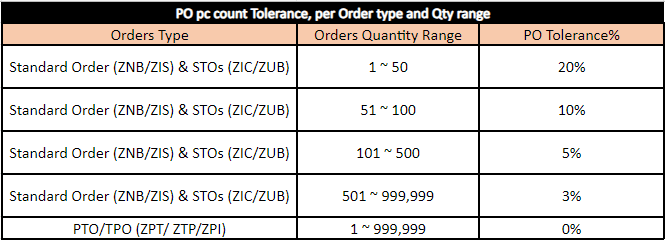
3. If still outside range, then reach out to UA to review exception for approval or for PO update.
500
What are all the elements that make up the ISF document?
What are..
1. Importer
2. Ship To
3. Seller
4. Buyer
5. Consignee
6. Bill of Lading information
7. Commodity harmonized tariff schedule (HTS codes)
8. Country of Origin
9. Container Stuffing Location
10. Consolidator