Personalization
Efficiency
Tabs and Icons
Grab Bag
Wow, Who Knew?!?!
100
These Buttons can be created in Notes and Patient Instructions to quickly add your SmartPhrases when documenting.
What are Speed Buttons?

100
To quickly move between free text fields, press this key.
What is Tab?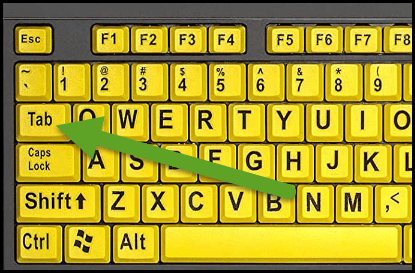
100
When searching for a POCT, look for THIS icon next to the order name.
What is a House icon?

100
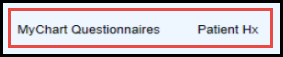
These Tabs appear in Rooming, when a patient completes Questionnaires and History during eCheck-in.
What are MyChart Questionnaires and Patient Hx?
100
This activity in MyChart allows your patients to update their demographics, insurance, and medications prior to their appointment.
What is eCheck-In?
200
Altitude, Lavender, Verdant, Deep Blue, Amethyst, Carbon, High Contrast, Low Contrast
What are Themes?

200
This is where I got in Epic to make changes to my saved Order Panels
What is Preference List Composer?
200
This tab can be used to ask your co-worker out to lunch but can not be used to verify an order.
What is Secure Chat?

200
This activity allows me to start a Note and Pend Orders for a patient coming in tomorrow
What is Pre-Charting?
200
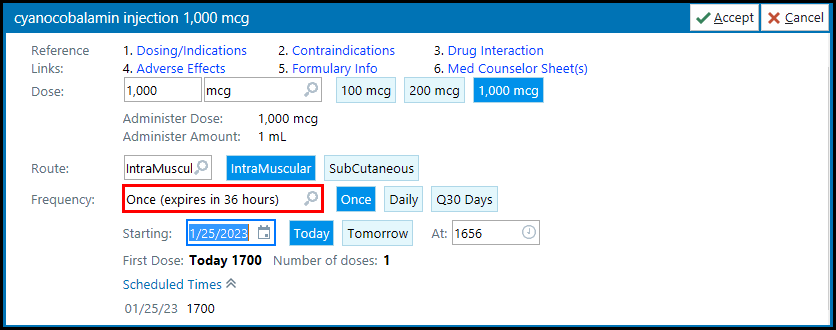
When ordering a facility administered medication, THIS frequency should be selected.
What is Once (expires in 36 hours)
300
When you see this "celestial" symbol next to something in Epic, it means you have made it a Favorite.
What is a Star?

300
This computer is the designated computer for Epic Downtime and has downtime documents and an Epic Read Only tab.
What is the BCA computer?
300
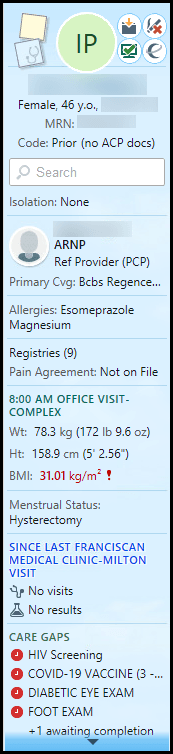
This is where you can see details such as Patient Demographics, Code Status, FYI's, and Pain Contracts, at a glance.
What is Storyboard?
300
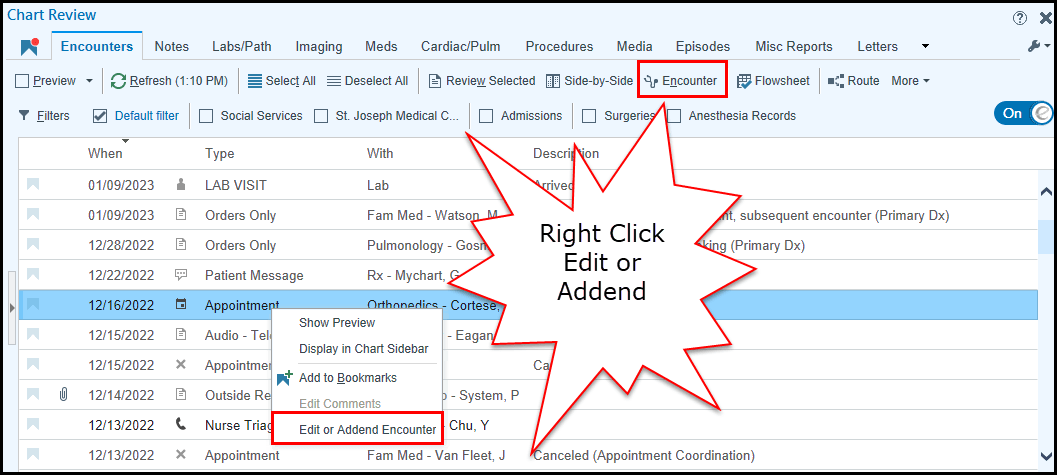
This is the easiest way to create an Addendum from Chart Review.
What is Right Click on the Encounter or Click the Encounter button?
300
Document on the MAR within 36 hours of order entry of the facility administered medication is the best way to avoid having to do this.
What is a Late MAR Entry?

400
This area of Epic allows you to view and copy another users Smart Phrases.
What is SmartPhrase Manager?
400
This keyboard shortcut will take you directly to the "Add Order" field.
What is CTRL + O?
400
This common household tool in Epic can be used to customize and improve your workflow.
What is the Wrench icon?

Anywhere you see the wrench there is a way to make changes.
400
Using these while in Chart Review can help you sort through data quickly.
What are Filters?

400
This type of Encounter is where you document lab results received from outside organizations.
What is in an Abstract Encounter?
500
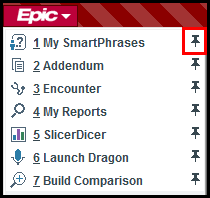
Use this feature under the EPIC button to hold certain favorites in place
What is the PIN feature?
500
This is the most efficient way to fax from Epic.
What is the Use the ROUTE feature?
500
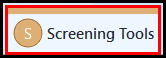
This tab is a great place to document a PHQ-9, Diabetic Foot Exam, or Fall Risk Flowsheet, to name a few...
What is Screening Tools?
500
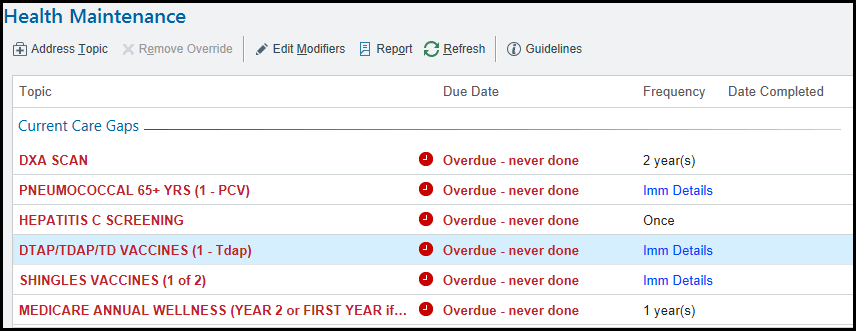
These topics are used for addressing patient Care Gaps and Quality Measures.
What are Health Maintenance Topics?
500
This Tab is where you find MyChart - Patient Message Review Reports and Chart Review Routing History.
What is Misc Reports?
