EHR
Scheduling Appointments
Computer Programs
Checking Patients In
Miscellaneous Workflows
100
Houses all documentation for each patient, including notes, letter and intake paperwork
Patient's Chart
100
To schedule a follow-up appointment in Dash, you'll want to click this button
What is "Follow Up"?
100
The platform that Sagent uses for all telehealth appointments
Zoom
100
These must always be paid prior to patients being seen for services, although not every patient will have one
What are co-pays?
(Also: what are private payments?)
100
This is what TPO stands for
Treatment, Payment and Operations
200
This is where all tasks assigned to the front office staff at your clinic can be found
Front Office Task Basket
200
DOUBLE JEOPARDY
This is what you must always review prior to scheduling an appointment
Allscripts notes
200
This is where you go to clock in and out
KPAY
200
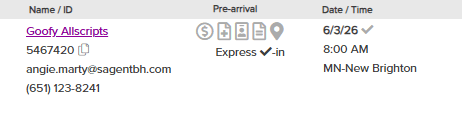
If a patient needs their intake paperwork re-sent, click this icon
The Documents icon
200
This is the SharePoint resource that outlines where different documents can be sorted into patient's charts
EHR Scan Folders Guide
300
This task basket houses all messages sent from patients directly to their provider
Follow My Health Front Desk Messages
300
When scheduling, we want to avoid scheduling multiple appointments on the same day, mainly for this reason
Insurance may not cover multiple services on the same day (reference the Same-Day Service Grid to be sure!)
300
Use this program if you need to take a screenshot of your computer (for instance, if you get an error message and need to send that information to IT)
Snipping Tool
300
DOUBLE JEOPARDY
Patients can pay co-pays and make other payments electronically through this online portal
Collectly
300
This is the annual form that patients are required to fill out before they can be seen for services at Sagent
Billing Policies & Consent for the Release of Records (B&C)
400
When patients fill out a Release of Information for their primary care provider (PCP), we enter that information here
Patient Care Team (PCT)
400
This is the feature in Dash that allows you to schedule multiple appointments at once
Sequential scheduling
400
This houses administrative resources, workflows and information like phone lists, clinic locations, etc.
Admin Staff SharePoint
400
The one administrative duty that should always be prioritized over in-person check-ins
Doctors' line/providers' line calls
400
This is the agency that fulfills all requests to release Sagent patient records
Sharecare
500
DOUBLE JEOPARDY
When med providers send requests to schedule follow-up appointments, they populate in this section of the patient's chart
Orders (or Worklist)
500
If you want to schedule an appointment for a different duration in Dash Schedule, you must click this button
New Appointment
500
If a patient wants to find more information about Sagent's services and providers, they can go here
500
Patients who update this piece of information will have a little icon appear next to their name, prompting us to approve or reject the changes
Insurance card scan
500
This is the timeframe that intake paperwork is sent automatically to patients via Dash Intake
Within 8 days of the appointment