Basic Stuff
Formulas
Functions/ Format
Tips & Tricks
What was that Tool Again?
100
The name for each square on a spreadsheet.
What is a cell?
100
All formulas start with this.
What is the equal sign?
100
This Function Adds all the numbers in a range of cells.
What is the SUM Function?
100
When your cell is too narrow to display the data.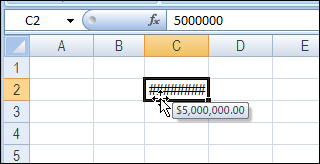
There is a quick way to adjust this.
Move your mouse between column C & D
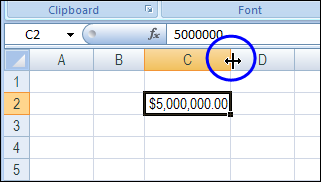
Double Click to automatically adjust your column width.
100

What is the Fill Handle Tool?
200
Columns (up and down) are "named" by these.
What is a letter?
200
/ is the mathematical symbol for____.
What is Division?
200
This Function calculates largest value in a set of values
What is the Max Function?
200
How to do you add a new column in excel?
Right click on column letter.
200

What is the Merge and Center Tool?
300
Rows (Left to Right) are "named" by these.
What are numbers?
300
You must hit this to make the formula calculate
What is the enter key?
300
This Function calculates the smallest number in a set of values.
What is the MIN Function?
300
This tool will allow you to adjust your data in ascending or descending order.
What is the Sort & Filter Tool?
300
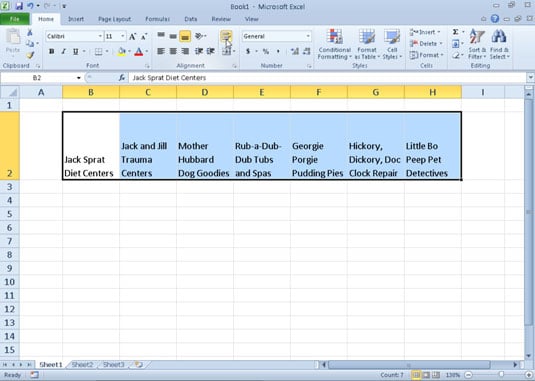
What is the Wrap Text Tool?
400
This displays the constant value, formula, name or contents of the active cell.
What is the Formula Bar?
400
* is the mathematical symbol for _______
What is multiplication?
400
This Function calculates the_______(arithmetic mean) of a group of numbers.
What is the AVERAGE function?
400
 A Quick way to Split your data into columns
What is the Text to Columns Tool?
400
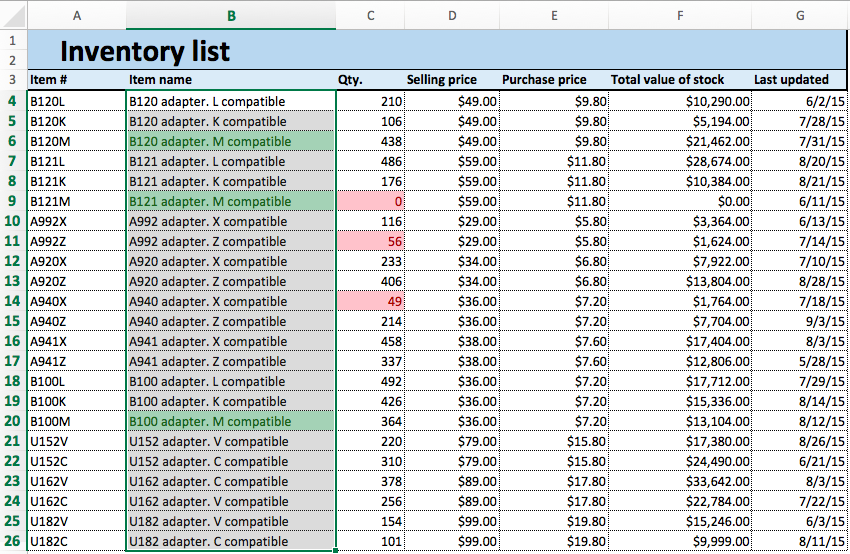
What is Conditional Formatting?
500
This will display what cell is active.
*Bonus* How do you know when a cell is active?
What is the Name Box?
**The cell will have a green box around it**
500
How would you write a formula that will add A3 and A4 first, then divide by C10?
=(A3+A4)/C10
500
What is the difference between Accounting and Currency?
The Placement of the dollar sign.
Accounting: The dollar sign is aligned to the right of the cell.
Currency: The dollar sign is next to the number.
500
You can use this tool to copy "Relative & Absolute" References.
What is the Fill Handle tool?
500
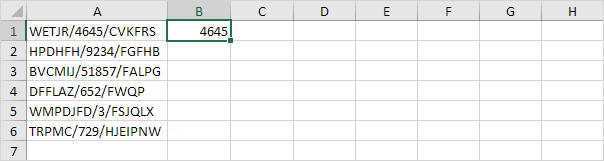
What is the Flash Fill Tool?