Design 101
Keyboard Shortcuts
Tools
Troubleshooting
100
When creating a new project in Photopea, what 3 things do I need manually enter?
Name, unit of measure, and dimensions.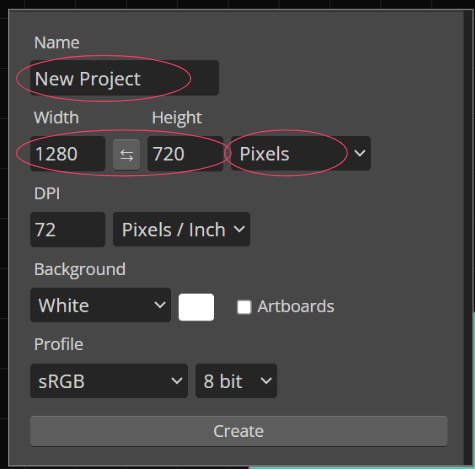
100
What keyboard shortcut can help you undo a quick mistake or go back a step?
ctrl Z (undo)
100
What is the function of the paint bucket tool?
The paint bucket tool fills all of the pixels inside of a closed space or shape.
100
Where is the first place I should look if I run into ANY error on Photopea? and why?
Layers panel because 90% of errors designers make have to do with their layers.

200
What is the difference between a PSD and a JPG?
A PSD has layers, and a JPG is a flattened image.
200
ctrl C and ctrl V are quick shortcuts for...?
Copy and Paste
200
What tool auto selects pixels that are the same or similar color?
The magic wand tool.

200
HELP! I'm using a different chromebook today and I can't find my project in my files! What can I do?
Your file is saved to a different computer. If you saved it and turned it in correctly, Mr. Moncayo can download it and send it to your new computer.
If you did not turn it in, you need to start over and remember to save and turn in today.
300
How is a PNG different from a JPG?
A PNG has a transparent background.
300
Hitting the [ or ] keys allows designers to quickly do what?

The [ and ] keys are shortcuts to quickly increase or decrease brush size.
300
Which art tool is better to use with the paint bucket tool and why?
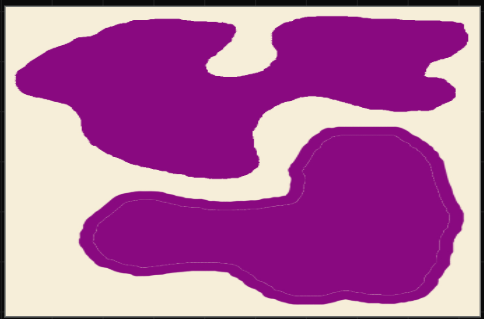
The pencil tool is better to use with the paint bucket because it does not leave unpainted pixels between the outline and the fill.
300
HELP! I copy and pasted my layer but WHY can't I see it!
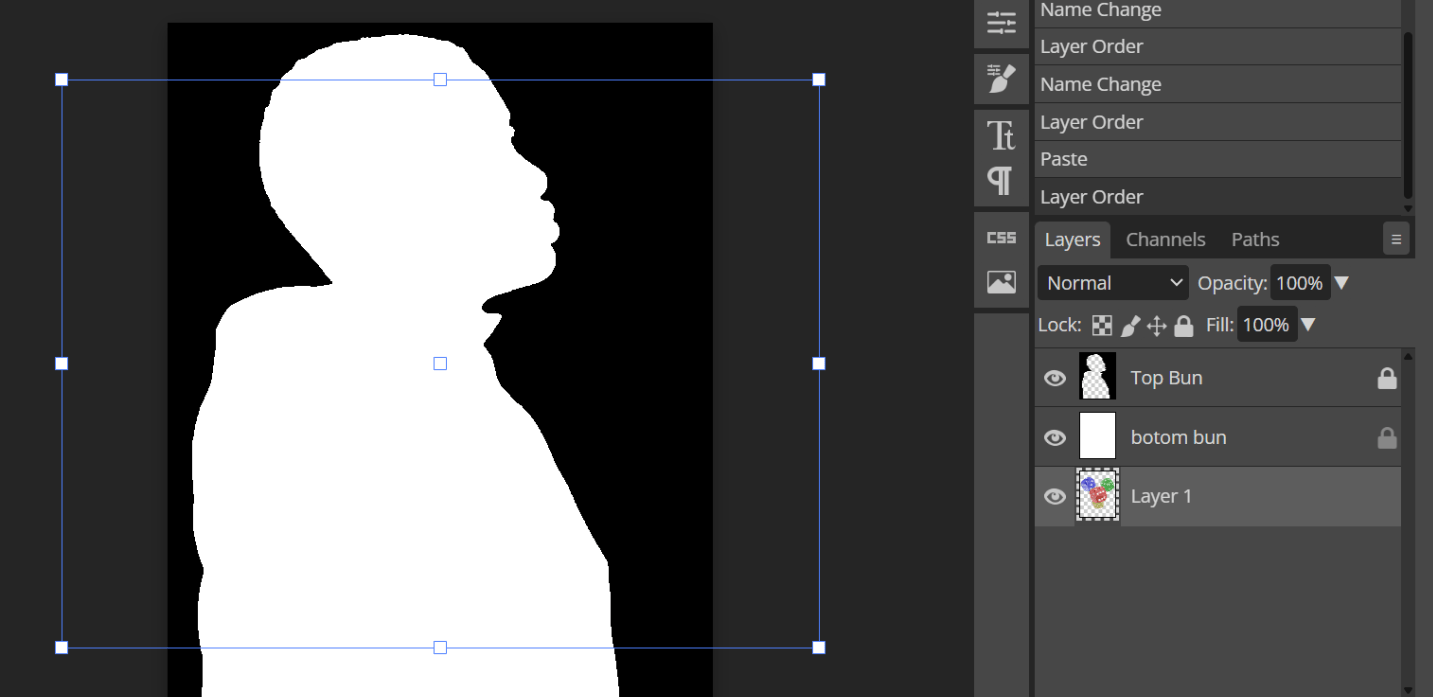
The layer is hiding behind another. You need to move it up.
400
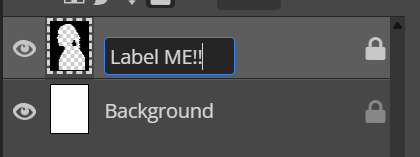
What two things can you do to your layers to keep them organized and protected?
You can label your layers to stay organized, and lock your layers to keep them safe.
400
ctrl + and ctrl - is the keyboard shortcut for
zooming in and zooming out
400
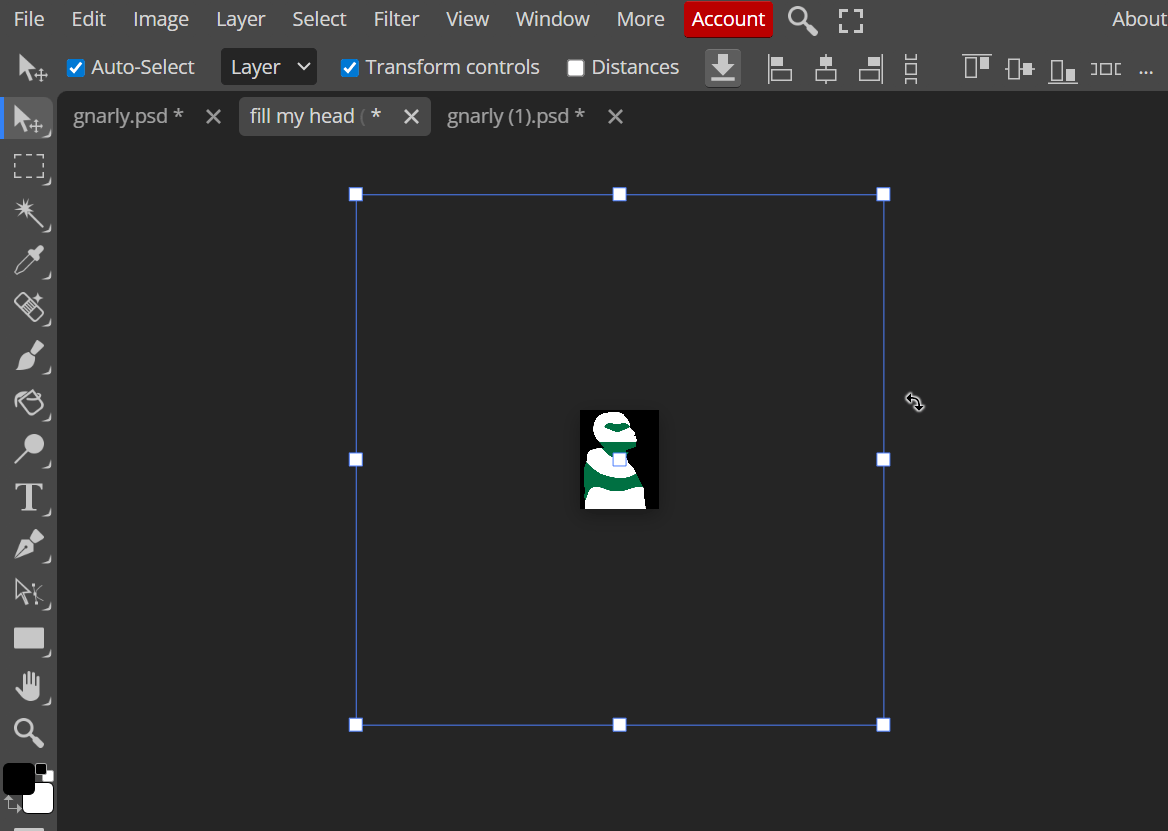
What function of the Move tool do I need to have turned on in order to resize or rotate my layers?

Transform Controls need to be turned on in order to resize or rotate layers.

400
HELP! My PNG is too large and I don't see the box to make it smaller.
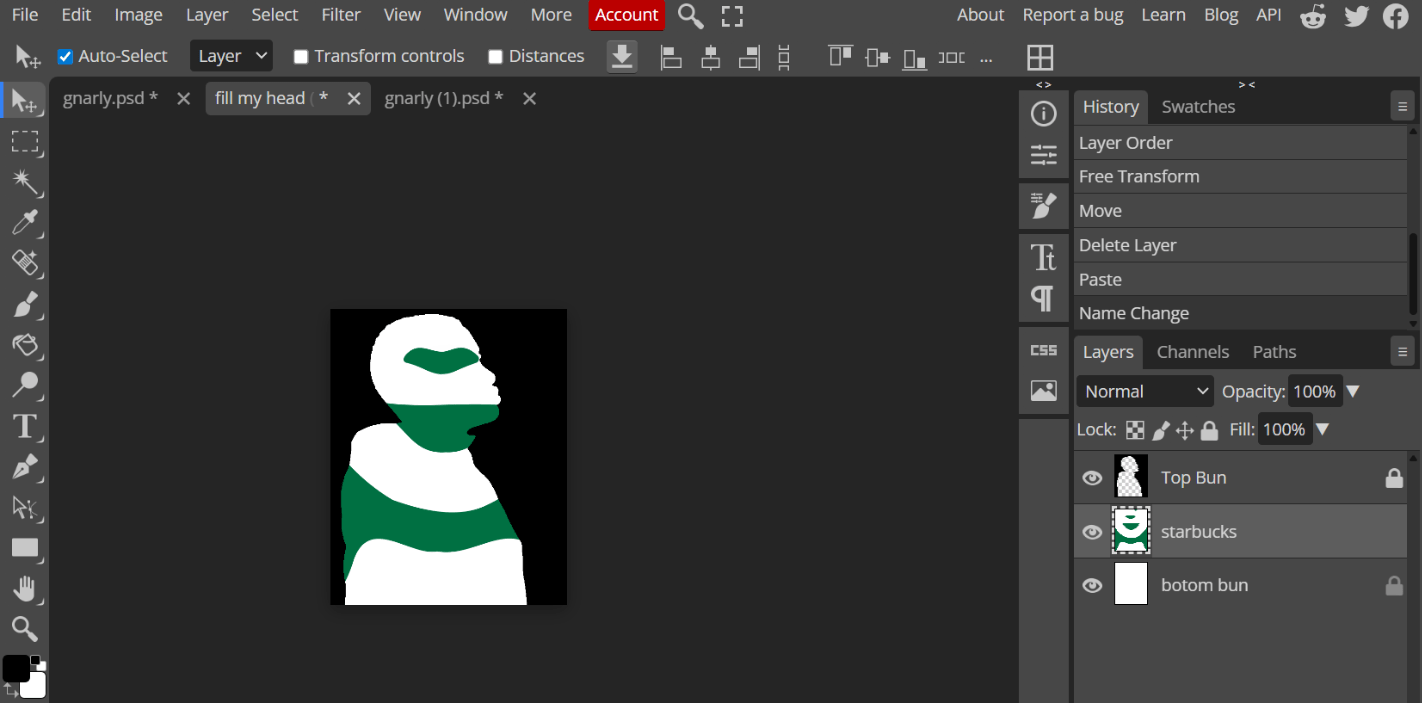
You need to select the move tool and turn on transform controls!