Panels
Effects and filters
Tools
MISC
100
This panel is where all of your layers are housed. you can do various effects here as well
What is...
Layers Panel
100
This effect adds a shadow behind layers to help them add depth and stand out from other layers
What is...
Drop shadow
100
this tool is the most used tool in photoshop. allows you to do various transformations
what is...
move tool
100
This tool allows you to freely draw around a part of your image to make aselection
What is...
lasso tool
200
This Panel lets you adjust text settings like, leading, tracking, kerning, font size and more
What is...
Character Panel
200
This effect allows you to put an outline around your text or any layer
what is...
stroke
200
This tool allows you to add and edit text
what is...
type tool
200
An image created by colored dots on a grid
what is...
bitmap
300
This panel allows you to create, adjust and select various brushes
What is...
Brush panel
300
This effect makes text and other layers look 3D
what is...
bevel and emboss
300
this tool allows you to edit and cleanup masks, paint colors on layers
what is...
brush tool
300
An image created by defining points and curves
what is...
vector
400
This panel lets you select, edit and create various layer styles
What is...
the styles panel
400
This filter add a blur to your layer
what is...
gaussian blur
400
this tool allows you to make selections of a subject based on pixels. great for masking a person out of the background
what is...
quick selection
400
what kind of gradient is this?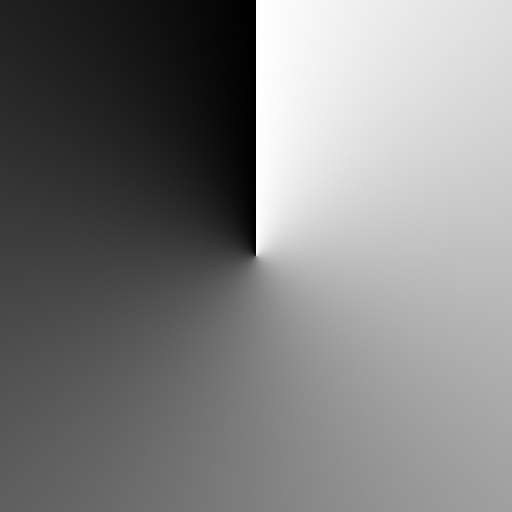
what is...
angle gradient
500
This panel changes based on what what tool or layers you have selected.
What is...
Properties Panel
500
This effect will add a gradient covering your entire layer
what is...
gradient overlay
500
this tool allows you to select part of an image and paint it somewhere else
what is...
clone stamp
500
What kind of gradient is this?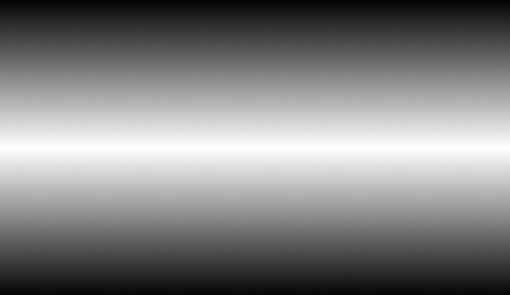
what is...
reflective