Flowcharts
Debugging
Vocabulary
Germ Guide App
Coding
App Inventor
100
Flowcharts always Start and End with which shape?
Oval
100
What does it mean to debug a program?
Find and fix the errors in your code
100
When a programmer adds and tests code in small chunks at a time to make sure it works the way they want it to before adding more code.
Incremental Approach
100
What is a waterborne disease?
A disease that spreads through untreated water
100
What drawer would you find the if, then block in?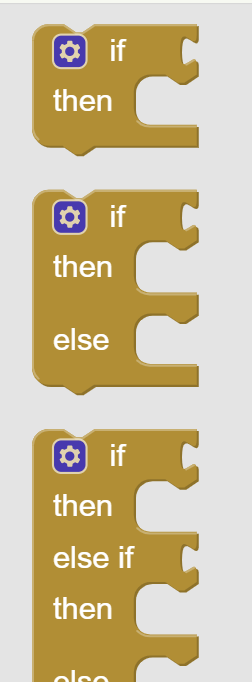
Control
100
The area in App Inventor where you can change the characteristics of your components. #4 shown in the image below
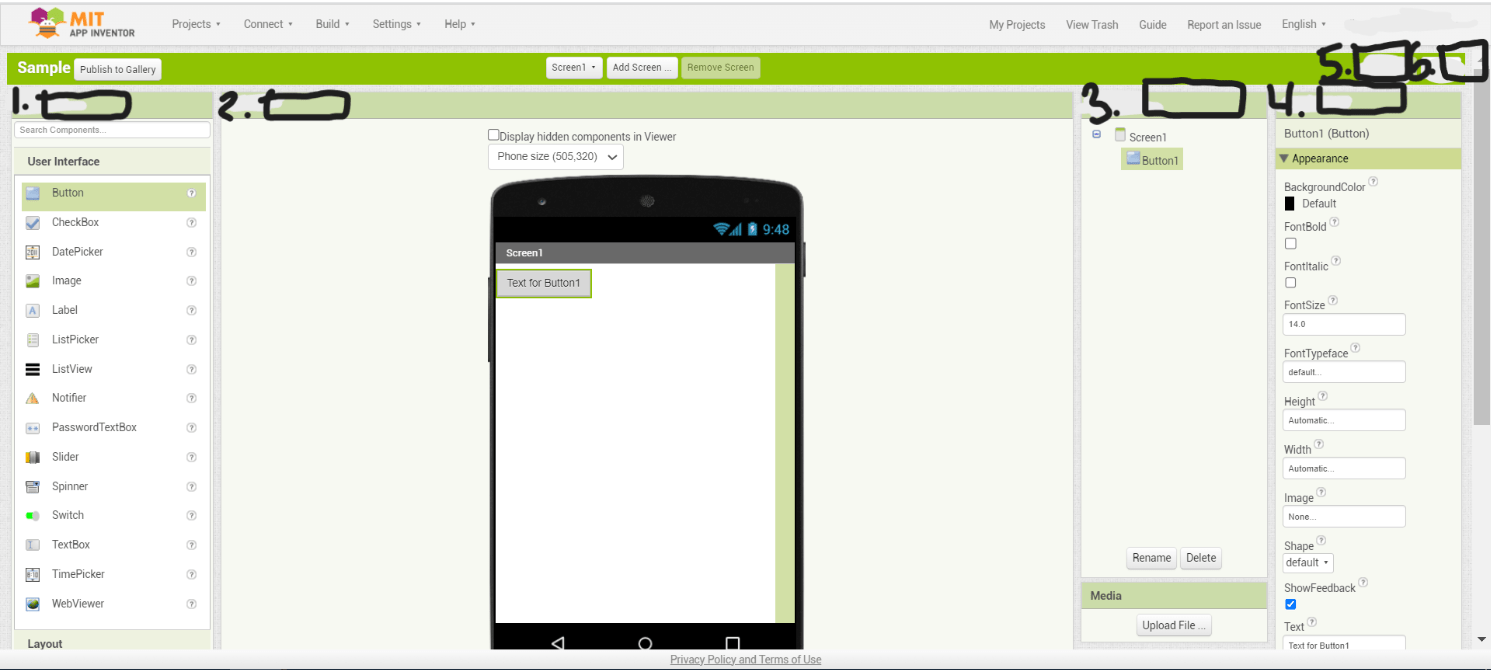
Properties
200
This is an example of what type of flowchart? (Hint: It is one step after the other)
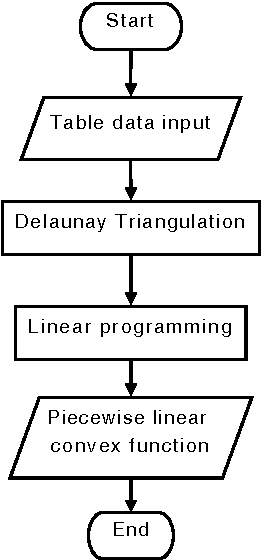
Linear
200
What do the warning and error symbols look like? When will your code not work (with an error or warning?)
Yellow Triangle with Exclamation point- Warning
Red circle with X- Error
200
An action or occurrence that happens during runtime that will trigger a response or behavior by the software
Event
200
Malaria is what type of disease?
Vector-borne disease
200
What is wrong with this code?
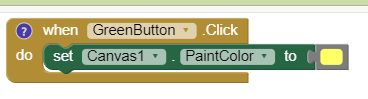
The paint color should be set to green
200
This is the entire screen, where you design what you want your app to look like. #5 shown in the image below
Designer View
300
This is an example of what type of flowchart? (Hint: It has a question)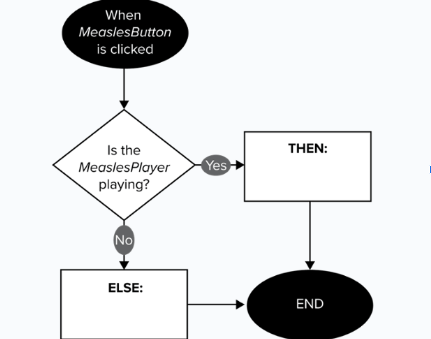
Conditional
300
How do you get add a comment to your code?
Right click (2 finger click) choose "Add comment" in the menu, then click the blue check mark
300
The visual part of a computer app or operating system, through which an end user interacts
User Interface (UI)
300
Which two diseases were on the Crowding Screen?
Measles & Meningitis
300
This is the layer of an app that contains the program that tells the app how to behave
Control Layer
300
The area in App Inventor where you can see what your app looks like and where you drag the components to to add them to your app. It is #2 in the picture below
Viewer
400
This is an example of what type of flowchart? (Hint: it repeats over and over until a condition is met)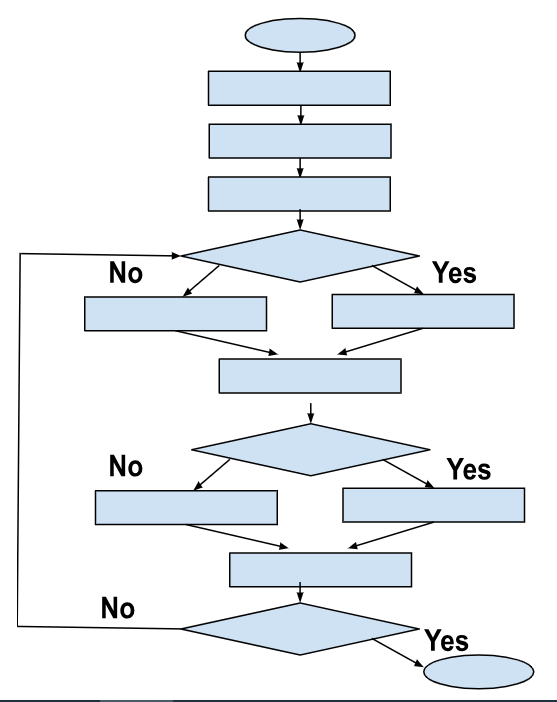
Loop
400
This is an example of what in debugging? Why would someone use this in debugging?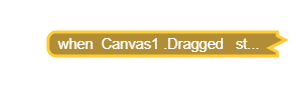
This is a collapsed block. You would use it when you know your code already works and you can hide it and not worry about it anymore
400
The process of reducing complexity by hiding unnecessary details to make it easier to think about a problem
Abstraction
400
What is the difference between a client and end user when apps are designed by a computer scientist?
The client is who hired the computer scientist to make the app and the end user is the person who will be using the app.
400
This is the layer of an app that is what the user sees and interacts with
View Layer
400
This is the area in App Inventor that contains all the components you can add to your app. #1 in the image below.
Palette
500
What should you do if the Bulb is burned out?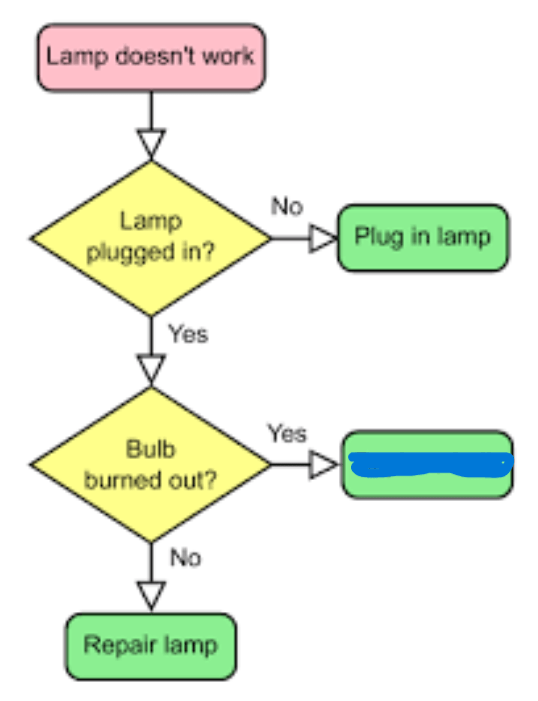
Replace the bulb
500
This is an example of what in debugging? Why would someone use this in debugging?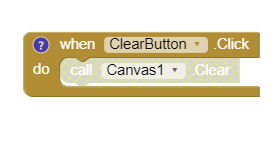
This is a disabled block. You would use this to isolate codes to find where the bug is
500
Duplicated or replicated code within a program
Redundant
500
What will happen if the Measles Player is NOT already playing?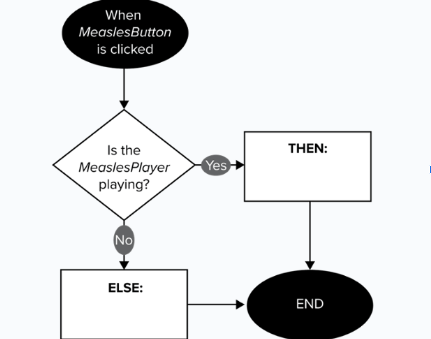
Start MeaslesPlayer
500
There are 3 different types of blocks used in this code. What are they?
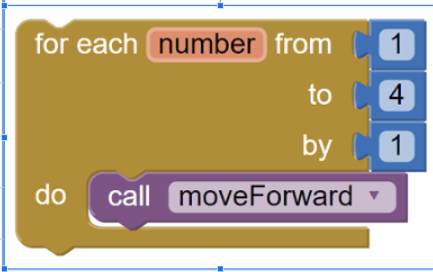
Control Block- yellow
Math Block- blue
Procedure Block- purple
500
These are located in the Palette and are items you can add to your app. After you add them to the screen of your app they show up in a list in #3 below.
Components.